

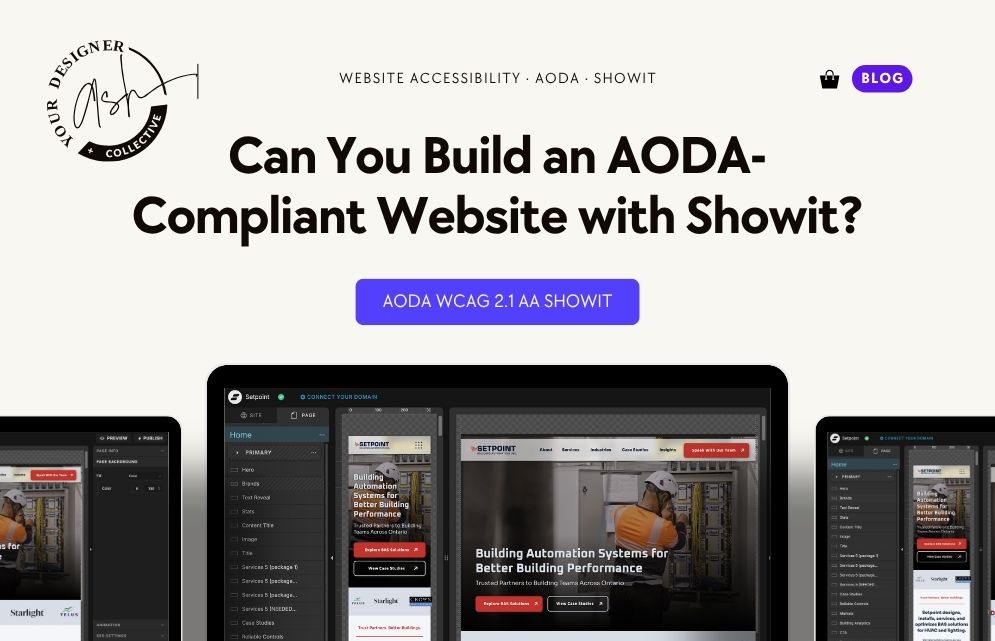
The government of Ontario means business when it comes to accessibility. With the passing and strict enforcement of the Accessibility for Ontarians with Disabilities Act (AODA), businesses need to act now to ensure their websites are compliant.
If you have a business or organization with 50+ employees, accessibility isn’t optional anymore. Your website must meet WCAG 2.0 Level AA standards.
For those of you with a personal brand or business under 50 employees, you’re not legally on the hook for AODA compliance. That said, building with accessibility best practices in mind makes your site better for every single visitor, not just the ones using assistive technology.
If you’re wondering what accessible web development or a redesign of an existing website entails, keep reading for a real world example. I’m also going to talk about why it’s not just your website that needs to be audited and adjusted, but your third-party integrations as well.
By the way, if you’re just hearing about AODA, take a moment to familiarize yourself with the Act and what it means for your business. I wrote a guide to AODA here.
A Real Example of AODA Website Compliance
I was partway through the building of a website for Setpoint when they realized their organization had grown past 50 employees. This meant the accessibility bar they needed to hit had changed.
We paused the project and evaluated the website against the AODA requirements.
The first thing we needed to determine was what aspects of the initial website design and strategy had to change. This required updates to a lot of components, including the company’s branding.
For example, here is a screenshot from their revised style guide:

It wasn’t enough to create a light and dark version of the logo. I needed to develop accessible colour variations that ensured a strong enough color contrast for whichever context it appeared in.
If you’re curious what an AODA compliant website looks like, here is what the revised hero section looks like:
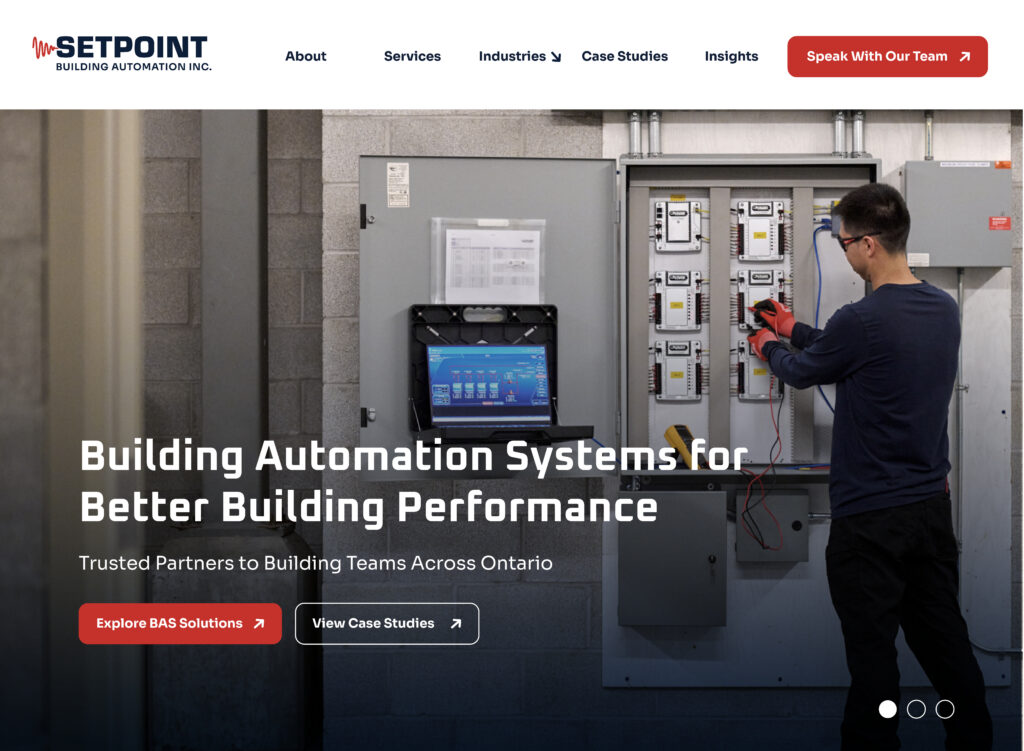
At a glance, it looks no different than other modern, responsive websites. However, there’s a lot of work that went on behind the scenes to make sure this accessibly designed website would also be technically accessible.
To ensure I covered my bases, I mapped out exactly what could be executed in Showit vs. what needed to move to custom development.
That real-time pivot is what the following comparison is built on.
Showit vs. Custom Coding for Accessibility: An Honest Comparison
Accessibility is good design, good SEO, and it’s the right thing to do. This is where a platform like Showit shines.
Let’s compare how Showit website development fares against a custom-coded website from an accessibility standpoint:
| Requirement | Showit | Custom-Coded Website |
| Keyboard navigability | ✅ Full control through settings | ✅ Can be custom-built and tested for every element |
| Alt text for informative images | ✅ Full control through settings | ✅ Full control |
| Clear, distinct headings, labels, links, etc. | ✅ Full control through design | ✅ Full control |
| Color contrast | ✅ Full control through design | ✅ Full control |
| Text resizing up to 200% without loss of clarity or functionality | ✅ Full control through design | ✅ Full control |
| Disabled audio/video autoplay | ✅ Full control through settings | ✅ Full control |
| Stop, pause, and play controls | ✅ Full control through settings | ✅ Full control |
| Zero or limited animations, sliders, and other motion effects | ✅ Full control through design | ✅ Full control |
| Primary website language enabled | ✅ Full control via settings | ✅ Full control |
| Clearly labeled form fields and instructions | ✅ Full control via contact form plugin | ✅ Full control |
| Focus management | ✅ Full control via design | ✅ Full control |
| Form input feedback and error messages | ⚠️ Must use Showit’s native forms or HubSpot forms | ✅ Can be custom-coded or API-integrated for accessibility |
| Name, Role, and Value for interactive elements | ⚠️ Use Showit’s native Button element and native form controls rather than simulated buttons or custom clickable elements | ✅ Full control |
| Semantic HTML | ⚠️ Headings are controllable; deeper structure (landmarks, ARIA roles) is platform-controlled | ✅ Full control |
| Screen reader compatibility | ⚠️ Depends on platform output | ✅ Can be tested and remediated |
| Add “Skip to Main Content” button to skip repetitive navigation elements | ❌ Not something the platform provides | ✅ Must be custom-built |
| Formal WCAG 2.0 AA testing and documentation | ❌ Not something the platform provides | ✅ Available through accessibility audits and remediation |
A Note About AODA Compliance and Plugins, Forms & Other Embedded Content
Most websites use at least one embedded tool that isn’t built by the website designer — a contact form, an email capture form, a HubSpot marketing integration, and so on.
Out of the box, this embedded content likely wasn’t built with your specific WCAG requirements in mind (especially if the vendor comes from outside of Ontario). Yet, your website compliance can be impacted by their content’s lack of accessibility.
If you have a personal brand or business with fewer than 50 employees, then a best-practice pass will be enough. That means working with the embedded content as it is and styling it as accessibly as the platform allows.
If you go this route, there’s no extra cost. It’s absorbed into the website build itself since it’s a design decision, not a development one.
On the other hand, if you have a company with more than 50 employees, full AODA compliance is required. This means that same embed probably needs a custom API integration built for it instead of the default plug-and-play version. In doing so, the form behaves and reads correctly for assistive technology.
This requires custom development work, which realistically starts around $1,000 CAD, depending on how many integrations need that treatment.
How I Can Help with AODA Compliance
I work primarily in Showit. I love it for personal brands, wellness businesses, and small companies who want a beautifully designed site built with accessibility best practices from the ground up. That’s the majority of the clients I work with, and it’s genuinely the right platform for that size of business.
I also work with businesses that need to meet full AODA compliance. Here’s how that process works:
- I review the AODA compliance checklist (see below) to identify which accessibility requirements pertain to your website.
- I design and develop your website using accessibility best practices and official guidelines.
- I use Showit to implement as much of the required accessibility features as possible.
- If complex accessibility functionality is needed, I may bring in one of my custom development specialists to finish the technical build.
- I test your website to ensure it meets all the WCAG 2.0 Level AA standards.
- I provide you with the documentation that proves you’ve actually met the standard, not just designed toward it.
So whether you’re under 50 employees and want to do this right, or you’re over 50 and need to do this by law, I can help you figure out which path you’re actually on and get you there.

Free Download: The AODA Website Compliance Checklist
Not sure where your own website stands? I put together the same checklist I use on client projects, covering everything from heading structure and colour contrast to keyboard navigation and form accessibility. And it’s broken down phase by phase so you can actually work through it.

This article reflects my own research and hands-on experience working through this exact question for a client project. It isn’t legal advice, and AODA requirements can be nuanced depending on your specific organization. For the current official guidance, check Ontario’s “How to make websites accessible” page directly.


We don’t just get to know you.
We dive deep into your brand identity and website design goals.
Your personalized brand identity, website design, and digital marketing studio serving Canadian and US businesses.
Explore more ways to evolve!
Brand Strategy & Business Development
strategy SERVICES
Uncover Your Strategy
Brand Identity & Logo Design
BRAND IDENTITY SERVICES
01
02
Website Design & Content Development
WEBSITE DESIGN SERVICES
03
Shape Your Identity
Launch Your Site


Digital
Marketing
DIGITAL MARKETING SERVICES
04
Boost Your Reach

Website Design + Content Development
Logo & Brand Identity
Brand Strategy & Business Development
Digital Marketing

Contact

Branding, Web Design & Digital Marketing agency
Contact
Our Values
What To Expect
Meet Ash & The Team
FAQS
Reviews ★★★★★
